Filters
You can apply different filters to display the exact information you need. By default, no filters are set. All filters can be set to one or more options, and they work together (e.g. one area and one label).
- Area: Set one or more areas to be shown.
- Floor: Set one or more floors to be shown.
- Label: Set one or more labels that should be shown.
Editor Settings
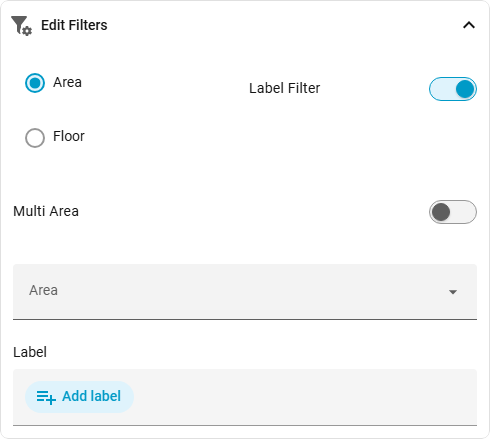
| Option | Description |
|---|---|
| Filter | Set filter to area or floor |
| label Filter | Set filter to label |
| Multiple Areas | If set to true you can select more than one area |
| Multiple Floors | If set to true you can select more than one floor |
| Area | Set the area(s) which is used as the filter |
| Floor | Set the floor(s) which is used as the filter |
| Label | Set the label(s) which is used as the filter |